


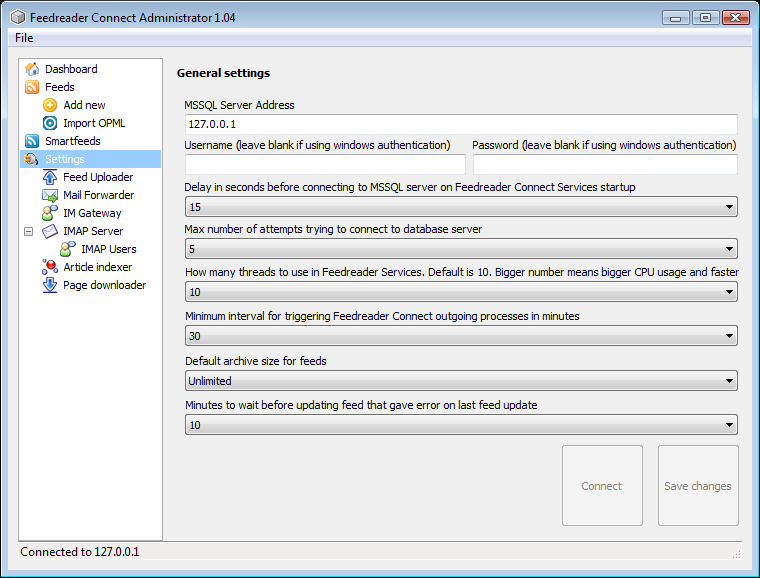
 I guess that among other products in our homepage you have also seen information about Feedreader Connect Server. If you have read about it then you know that it's server version of Feedreader. It's quite hard to demonstrate the features of server products because in most cases they to not have any user interface. In these cases at least I'd like to see administrator interface of server product to get to know applications functions. Unfortunatelly till this time we did not have administrator interface screenshots available. This will changed from now.
I have created walkthrough of Feedreader Connect Administrator with brief descriptions of its functionality. It's available in slideshow (please click on (I) image to show descriptions inline) or gallery format. You are welcome to meet Feedreader Connect Administrator.
Feedreader Connect Server is standalone Windows Service Application that does everything that normal Feedreader does with the added bonus that it will make it extra easy to export information found in articles to whatever format using whatever medium. Feedreader Connect Server uses MS SQL as database backend. This makes it to play in absolutely another league then compared to normal Feedreader. Feedreader Connect Server can easily track tens of thousands of feeds at the same time.